
UnitedHealthcare review
 Analysis by GetAllApps
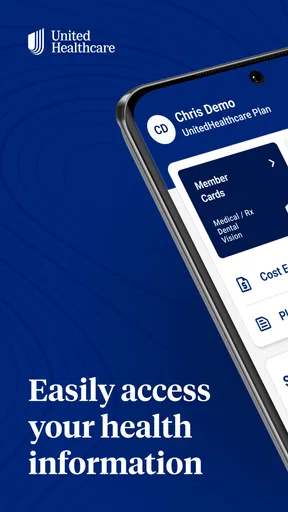
When I need to make a healthcare decision, the hard part is often not finding a name in a directory; it is figuring out whether a visit fits my coverage and what I should do next. UnitedHealthcare is built around that practical problem. It is a free medical app from UNITED HEALTHCARE SERVICES, INC., intended to help members find care and understand costs. I find it most useful as a starting point for a decision, rather than a substitute for a conversation with a clinician or a final guarantee of what a bill will be.
Starting with the question you actually have
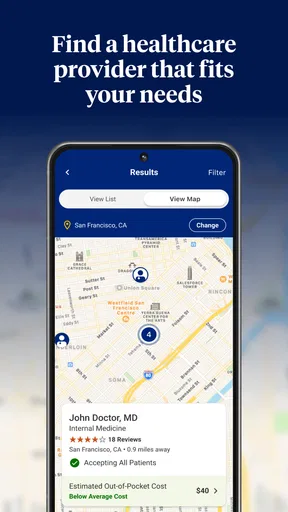
The app makes the most sense when you already have a concrete need: a routine appointment, a prescription question, or a choice between care options. Instead of treating healthcare as a general search, it connects the search to a UnitedHealthcare plan. That distinction matters. A clinic that looks convenient in an ordinary map search may not be the right choice for your coverage, while a plan-aware search can help narrow down where to look.
I would begin by checking that I am using the correct account and plan details, then frame the task narrowly. For example, “find a nearby primary care clinician” is more useful than browsing without a purpose. The app’s focus on finding and pricing care can help organize the next step, but the quality of the result depends on the plan and information associated with the account. If you are helping a family member, make sure you are looking at the right person’s coverage before acting on a result.
That account-first approach is one of the less obvious practical points: healthcare searches are only useful when the coverage context is right. I would not rely on a result found under an old or incorrect plan when arranging an appointment. If something in the account does not match your current insurance card, pause and resolve that mismatch before using the app to make a cost-sensitive decision.
Turning a search into a manageable choice
Once the immediate need is clear, I would use the app to compare possible care routes rather than assume the first result is automatically best. A nearby in-network option, a familiar clinician farther away, and a different type of care may each make sense in different circumstances. The useful question is not simply “Who is listed?” but “Which listed option suits this need, my location, and my plan?”
For a routine issue, that might mean looking for a clinician and checking the available cost information before calling. For a time-sensitive concern, the priority changes: the fastest appropriate care may matter more than a small difference in expected expense. I see the app as a way to bring those considerations into one decision, not as a tool that can judge medical urgency for you.
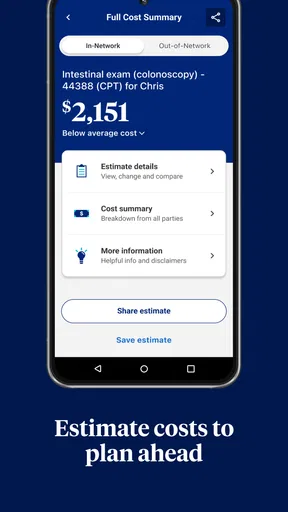
Pricing deserves a careful reading. An estimate can help you compare options and prepare questions, but it is not the same thing as a final bill. The service received, plan terms, and how a visit is processed can affect what you ultimately owe. My practical advice is to treat displayed pricing as a planning aid and confirm important details with the provider or the insurer before committing to a costly service.
Following the handoff from app to provider
Finding a suitable listing is only one part of the job. The next handoff is usually to the provider: checking availability, confirming that the office accepts the relevant coverage, and arranging the appointment. I would use the app to make a shortlist, then contact the office directly if any detail could change the decision. That extra call can feel like friction, but it is better than assuming a directory result answers every question about a particular visit.
A realistic example is planning a checkup during a busy week. I could use the app to identify care options that fit my plan, compare the choices, and decide which office is worth contacting. The phone call then answers practical questions the search cannot settle, such as whether the office is taking appointments that suit my schedule. The app helps me arrive at that conversation with a clearer starting point; it does not remove the provider’s role in confirming the appointment.
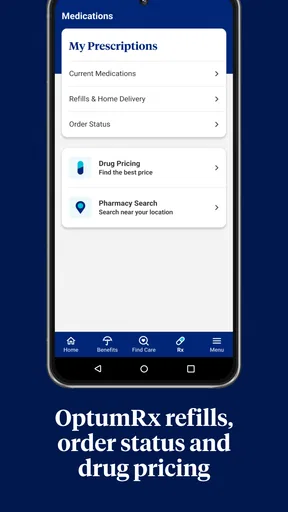
The same logic applies when the search concerns a prescription or another service tied to coverage. I would use the app to understand the available path, then verify any decision that depends on clinical advice or exact benefit terms with the appropriate professional. Its strongest role is helping me prepare for the next conversation, not replacing that conversation.
This separation of roles is useful because healthcare tasks often involve several parties. The app can help with the member-facing search and cost-planning stage; the clinician addresses care, and the insurer or provider can clarify coverage and billing questions. Keeping those responsibilities straight prevents a common mistake: treating a convenient screen as final confirmation from everyone involved.
What the result looks like in everyday use
When the process goes well, I finish with a more informed next step: a provider to contact, a clearer sense of the cost question to ask, or a better understanding of which care route deserves attention. That is a meaningful result even if the appointment itself must be arranged elsewhere. For people who manage their own coverage decisions, having a plan-oriented place to begin can be less scattered than switching among generic search results, insurer paperwork, and separate notes.
The app is particularly suited to members who want to check care options before making a call, compare choices in relation to their plan, or prepare for a conversation about expected costs. It may also help someone who is new to navigating a particular plan and wants a more direct route than searching the open web. UnitedHealthcare has a 4.6 average from around 250,000 ratings, and it has been installed over 5 million times; those figures suggest broad use, though they do not tell me whether its directory or estimates will fit an individual member’s circumstances.
For a practical workflow, I would keep the app open while making the initial comparison, note down the questions that remain, and then confirm those questions with the provider or insurer. This is more reliable than expecting one search to settle network status, appointment availability, clinical suitability, and final cost all at once. It also gives the app a sensible job: reduce the number of unknowns before I pick up the phone.
Where the workflow can break down
The main limitation is that a digital search cannot guarantee that every detail remains current at the moment you act. Provider availability and coverage questions can require direct confirmation, and an estimate should not be mistaken for a binding bill. If you are choosing care for a complicated situation, or if the cost difference is substantial, I would verify the details rather than rely on an in-app result alone.
There is also a learning curve if you do not know what kind of care you need or how your plan works. The app can help locate options, but it cannot make a diagnosis or decide whether a symptom needs urgent attention. In that situation, a clinician or an appropriate medical advice channel is a better first step. Similarly, someone who only wants a broad, plan-independent map search may prefer a general maps or provider-search tool, while someone with a coverage dispute may need direct contact with the insurer rather than another directory search.
That is the key trade-off compared with ordinary alternatives. A general search engine can offer a broad view of nearby services, but it may leave you to connect those results to your benefits. A plan-focused app can make that connection more convenient, yet it remains tied to the accuracy and relevance of the information shown for your account. I would use both approaches when necessary: start with the coverage-aware option, then verify anything consequential through the provider or insurer.
Compatibility is another basic consideration before relying on it. The current version is 3.16.0 and requires operating system 10 or later. It is free and rated for everyone, which makes trying it straightforward for eligible devices, but those details do not remove the need to have the right member account and plan context for useful results.
Who I would recommend it to
I would recommend UnitedHealthcare to members who want a convenient first stop for finding care and thinking through costs in relation to their coverage. It is most valuable when the task is specific and there is time to compare options before arranging a non-emergency visit. The app is less compelling if you do not use UnitedHealthcare coverage, need a medical opinion, or expect a price display to guarantee the final amount.
My overall view is that it can make the early stages of care planning more organized, especially when I use it to create a shortlist and identify what still needs confirmation. The best results come from treating it as a bridge between a coverage question and a real conversation with a provider—not as the last word on either care or billing. Developed by UNITED HEALTHCARE SERVICES, INC., this medical app earns its place for members who want that bridge, while people facing urgent symptoms or unresolved coverage questions should go directly to the relevant professional or insurer.
Pros and cons
Pros
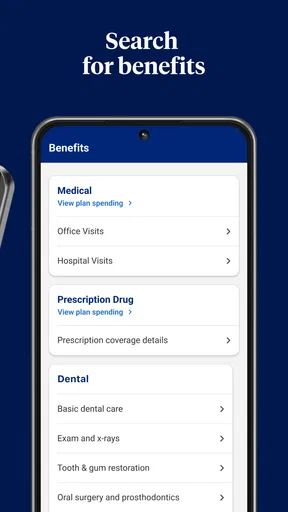
- Lets members check benefits and coverage details in one place.
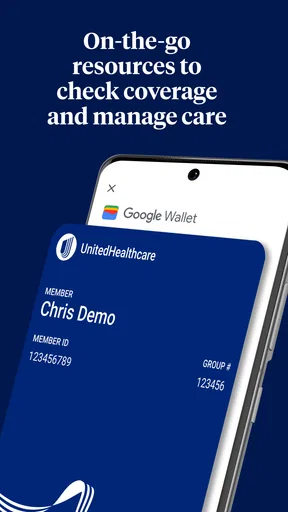
- Provides access to digital health plan ID cards.
- Helps users find nearby doctors and care locations.
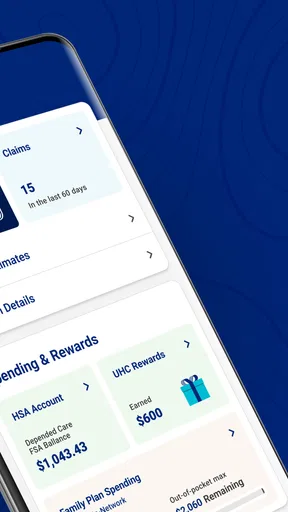
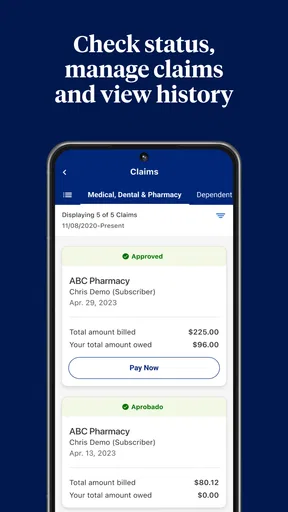
- Supports claims tracking and explanation of benefits review.
- Offers tools to estimate costs for eligible services.
Cons
- Available features depend on the user's health plan.
- Some services may require a separate Optum account.
- Provider directory details may not always be up to date.
- App access requires an internet connection for most features.
- Certain features may be limited by location or plan eligibility.


